
By Jun Li
October 29, 2026
A camera can have the right resolution and still be the wrong fit for your recorder or installation. The confusion often starts with three familiar labels: ONVIF, Wi-Fi and PoE.
These terms describe different parts of a surveillance system. Wi-Fi concerns the wireless network connection. Power over Ethernet, or PoE, concerns carrying power over Ethernet cabling. ONVIF concerns how compatible security devices and software communicate. Understanding that distinction helps you ask better questions before choosing equipment. [1][2]
Wi-Fi answers the connection question
For a Wi-Fi camera, start by asking how the camera will connect at its intended mounting position. Then ask separately how it receives power and where footage is recorded.
Shield's SH-L3 listing provides a useful example. It describes a portable Wi-Fi camera with two rechargeable 18650 batteries and a microSD card slot. Those are separate specifications for connectivity, power and local storage. [3]
For a proposed installation, our recommendation is to test the camera at its actual location before committing to permanent mounting. Check the functions you need, including recording and playback. Ask for the documented battery runtime and recording behavior for the intended settings rather than assuming a rechargeable camera records continuously.
PoE answers the power-and-cabling question
PoE can supply power and carry data through the same Ethernet cable when the equipment supports it. Axis describes this arrangement in its PoE midspan documentation: the midspan adds power to the connection while allowing communication between a compatible device and the network switch. [2]
That makes PoE worth considering when you can run a network cable to a permanent camera position. For example, an installer planning a shop entrance can evaluate the cable route and power source together.
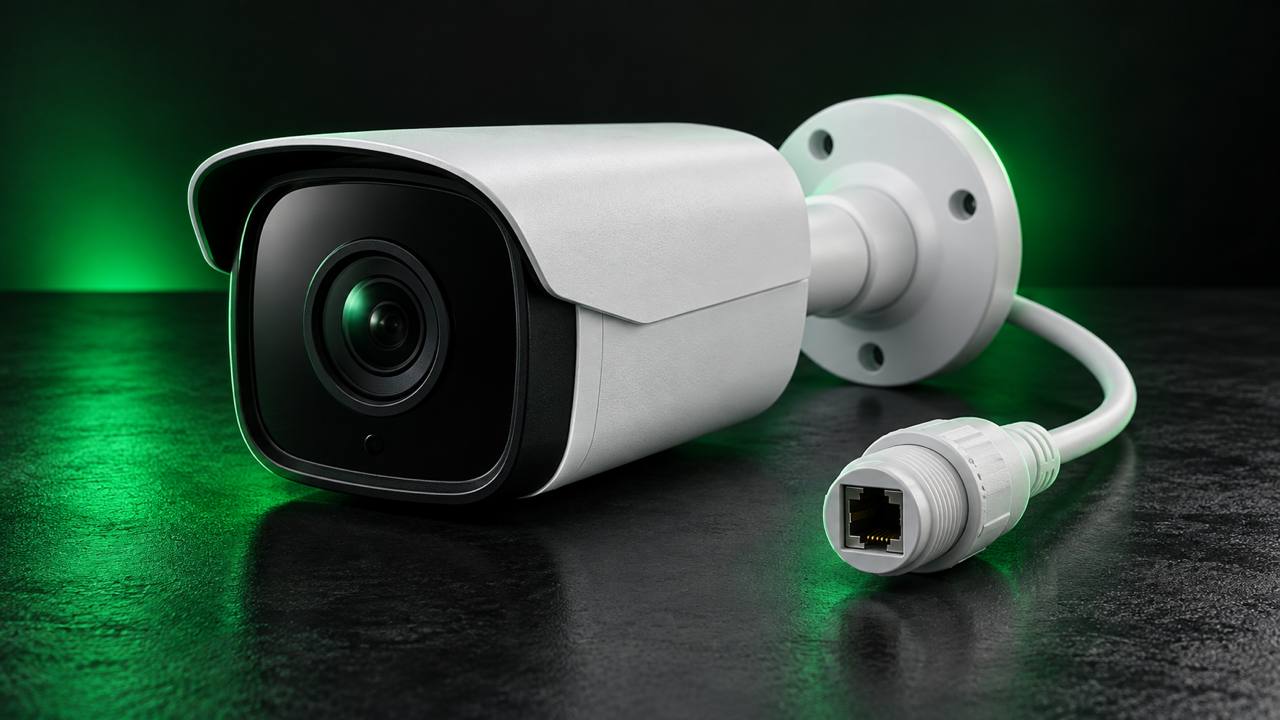
Shield lists the IPCB-428L as a 4MP IP PoE bullet camera with a fixed 2.8mm lens, full-color capability and a built-in microphone. [4] For this discussion, the relevant feature is PoE. Before selecting a power source, request the camera's current datasheet and confirm the required PoE standard and maximum power demand against the proposed switch or injector.
ONVIF answers the interoperability question
ONVIF profiles define sets of features for compatible devices and clients, such as cameras and video management software. The profile matters: ONVIF explains that a Profile T client works with a Profile T device within that profile's requirements. [5]
This is a different question from whether the camera uses Ethernet or Wi-Fi. ONVIF's own explanation places its interoperability standards above the underlying network connection. [1]
Start with the result you need. Is it live video, recording, motion-event handling, audio or PTZ control? Ask the supplier to identify the relevant profile and confirm the specific functions on both the camera and recorder. A working video stream alone is not a complete acceptance test for every feature you intend to use.
Check the model and firmware, not just the label
ONVIF identifies its Conformant Products database as the authoritative source for official conformance. Registration is tied to a particular product and firmware or software version. Manufacturer membership alone does not establish that every product is conformant. [6]
For a purchase, record the exact camera model, recorder or software version, and supported profiles. Verify the corresponding entries and request clarification where the documentation is incomplete.
The brief public IPCB-428L listing establishes the advertised PoE feature, but it does not establish an ONVIF profile or recorder compatibility. [4] Those details need confirmation; they should not be inferred from the words “IP camera.”
Build the decision around the job
For a permanent entrance camera, your questions might be: Can we install the cable? Does the power source match? Can the recorder deliver the required recording and event functions?
For a portable Wi-Fi installation, the questions shift toward the connection at the chosen location, the power plan and the documented recording workflow.
Choose the connection, power arrangement and interoperability requirements together. That gives you a more useful specification than asking whether ONVIF or Wi-Fi is better.
Sources
[1] ONVIF — What is the importance of interoperability, for both you and your customers?
https://www.onvif.org/blog/2020/08/25/what-is-the-importance-of-interoperability-for-both-you-and-your-customers/
[2] Axis Communications — AXIS 30 W Midspan
https://www.axis.com/products/axis-30-w-midspan
[3] Shield Technology — SH-L3
https://shieldcctv.com/product/sh-l3/
[4] Shield Technology — IPCB-428L
https://shieldcctv.com/product/ipcb-428l/
[5] ONVIF — ONVIF Profiles
https://www.onvif.org/profiles/
[6] ONVIF — Conformant Products
https://www.onvif.org/conformant-products/
Information checked October 29, 2026.